;%20}%20.cls-2,%20.cls-3%20{%20fill:%20%23fff;%20}%20.cls-3%20{%20stroke-width:%200px;%20}%20%3c/style%3e%3cclipPath%20id='clippath'%3e%3cpath%20class='cls-3'%20d='M27.79,132.08H0V1.94h94.23v24.67H27.79v32.25h55.35v24.67H27.79v48.56ZM128.8,132.08h-29.52L148.03,1.94h35.75l48.75,130.15h-30.5l-10.29-28.94h-52.46l-10.48,28.94ZM157.73,51.67l-10.1,27.98h35.56l-9.92-27.98-7.77-27.58-7.77,27.58ZM271.76,132.08h-27.79V1.94h27.02l46.23,67.98,11.83,20.4-1.75-30.69V1.94h27.79v130.15h-26.42l-47.4-68.56-11.67-19.23,2.15,32.23v55.56ZM426.18,133.65c-16.18,0-29.2-5.79-39.04-17.38-9.85-11.59-14.77-28.08-14.77-49.46,0-19.8,5.79-35.89,17.38-48.25,11.59-12.38,27.63-18.56,48.1-18.56,13.72,0,25.59,3.02,35.63,9.04,10.04,6.02,17.32,14.46,21.85,25.33l-23.5,17.88c-1.81-7.64-5.66-13.82-11.56-18.54-5.89-4.73-13.36-7.1-22.42-7.1-11.67,0-20.52,3.6-26.54,10.79-6.02,7.18-9.02,16.99-9.02,29.42s3.04,22.64,9.13,29.83c6.09,7.18,14.65,10.77,25.65,10.77,16.05,0,26.94-7.57,32.65-22.73h-35.75v-22.33h62.35v69.73h-18.46l-6.6-47.4c-.64,15.41-4.89,27.42-12.73,36.04-7.83,8.61-18.61,12.92-32.33,12.92ZM535.93,132.08h-29.52L555.16,1.94h35.75l48.75,130.15h-30.5l-10.29-28.94h-52.46l-10.48,28.94ZM564.87,51.67l-10.1,27.98h35.56l-9.92-27.98-7.77-27.58-7.77,27.58ZM709.98,132.08h-27.79V26.6h-38.83V1.94h105.46v24.67h-38.83v105.48ZM857.6,132.08h-95.58V1.94h95.58v24.67h-67.79v27.4h56.71v24.67h-56.71v28.75h67.79v24.67ZM885.56,132.08h0c-8.15,0-14.76-6.61-14.76-14.76v-.58c0-8.15,6.61-14.76,14.76-14.76h0c8.15,0,14.76,6.61,14.76,14.76v.58c0,8.15-6.61,14.76-14.76,14.76Z'/%3e%3c/clipPath%3e%3c/defs%3e%3cg%20id='Ebene_1-2'%20data-name='Ebene%201'%3e%3cg%3e%3cpath%20class='cls-2'%20d='M27.79,132.08H0V1.94h94.23v24.67H27.79v32.25h55.35v24.67H27.79v48.56ZM128.8,132.08h-29.52L148.03,1.94h35.75l48.75,130.15h-30.5l-10.29-28.94h-52.46l-10.48,28.94ZM157.73,51.67l-10.1,27.98h35.56l-9.92-27.98-7.77-27.58-7.77,27.58ZM271.76,132.08h-27.79V1.94h27.02l46.23,67.98,11.83,20.4-1.75-30.69V1.94h27.79v130.15h-26.42l-47.4-68.56-11.67-19.23,2.15,32.23v55.56ZM426.18,133.65c-16.18,0-29.2-5.79-39.04-17.38-9.85-11.59-14.77-28.08-14.77-49.46,0-19.8,5.79-35.89,17.38-48.25,11.59-12.38,27.63-18.56,48.1-18.56,13.72,0,25.59,3.02,35.63,9.04,10.04,6.02,17.32,14.46,21.85,25.33l-23.5,17.88c-1.81-7.64-5.66-13.82-11.56-18.54-5.89-4.73-13.36-7.1-22.42-7.1-11.67,0-20.52,3.6-26.54,10.79-6.02,7.18-9.02,16.99-9.02,29.42s3.04,22.64,9.13,29.83c6.09,7.18,14.65,10.77,25.65,10.77,16.05,0,26.94-7.57,32.65-22.73h-35.75v-22.33h62.35v69.73h-18.46l-6.6-47.4c-.64,15.41-4.89,27.42-12.73,36.04-7.83,8.61-18.61,12.92-32.33,12.92ZM535.93,132.08h-29.52L555.16,1.94h35.75l48.75,130.15h-30.5l-10.29-28.94h-52.46l-10.48,28.94ZM564.87,51.67l-10.1,27.98h35.56l-9.92-27.98-7.77-27.58-7.77,27.58ZM709.98,132.08h-27.79V26.6h-38.83V1.94h105.46v24.67h-38.83v105.48ZM857.6,132.08h-95.58V1.94h95.58v24.67h-67.79v27.4h56.71v24.67h-56.71v28.75h67.79v24.67ZM885.56,132.08h0c-8.15,0-14.76-6.61-14.76-14.76v-.58c0-8.15,6.61-14.76,14.76-14.76h0c8.15,0,14.76,6.61,14.76,14.76v.58c0,8.15-6.61,14.76-14.76,14.76Z'/%3e%3cg%20class='cls-1'%3e%3crect%20class='cls-3'%20x='-27.9'%20y='-32.28'%20width='934.94'%20height='189.98'/%3e%3c/g%3e%3c/g%3e%3c/g%3e%3c/svg%3e)
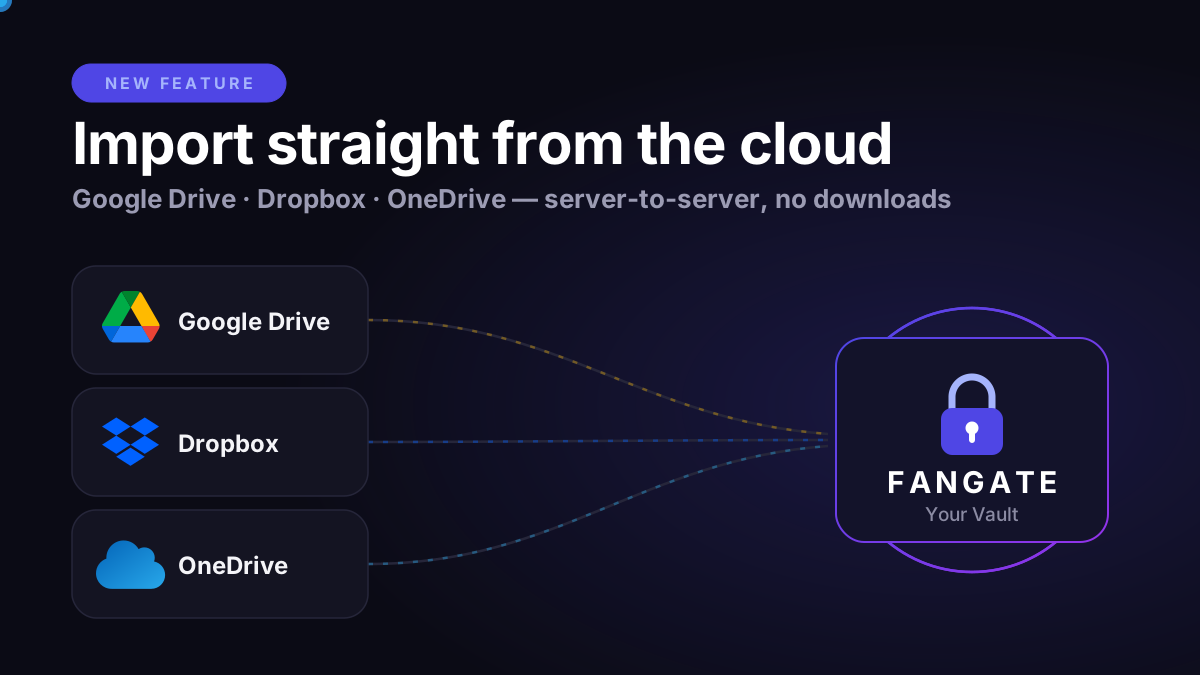
Your content already lives in the cloud. Your raw shoots are in Google Drive, your edited sets are in Dropbox, your team shares everything through OneDrive. Until now, getting that content into Fangate meant one thing: download everything to your device, then upload it all over again.
That is over. Today we are launching Cloud Import — connect Google Drive, Dropbox, or OneDrive and move your content directly into your Fangate vault. Server-to-server. Nothing ever touches your device.
The old way: download, wait, re-upload, wait again
Every creator knows this routine. A 4 GB video sits in your Google Drive. To sell it on any platform, you first download it to your phone or laptop — eating storage, mobile data, and time. Then you upload the exact same file all over again. On hotel Wi-Fi or a mobile connection, one video can burn an hour. Multiply that by a full content drop, and "uploading" becomes a day job.
For agencies, it is even worse: content teams organize everything in shared cloud folders, but every file still has to make a detour through somebody's device before it reaches a creator account.
The new way: server-to-server
Cloud Import removes your device from the equation entirely. You pick the files inside Fangate — our servers fetch them directly from Google Drive, Dropbox, or OneDrive and place them in your vault.
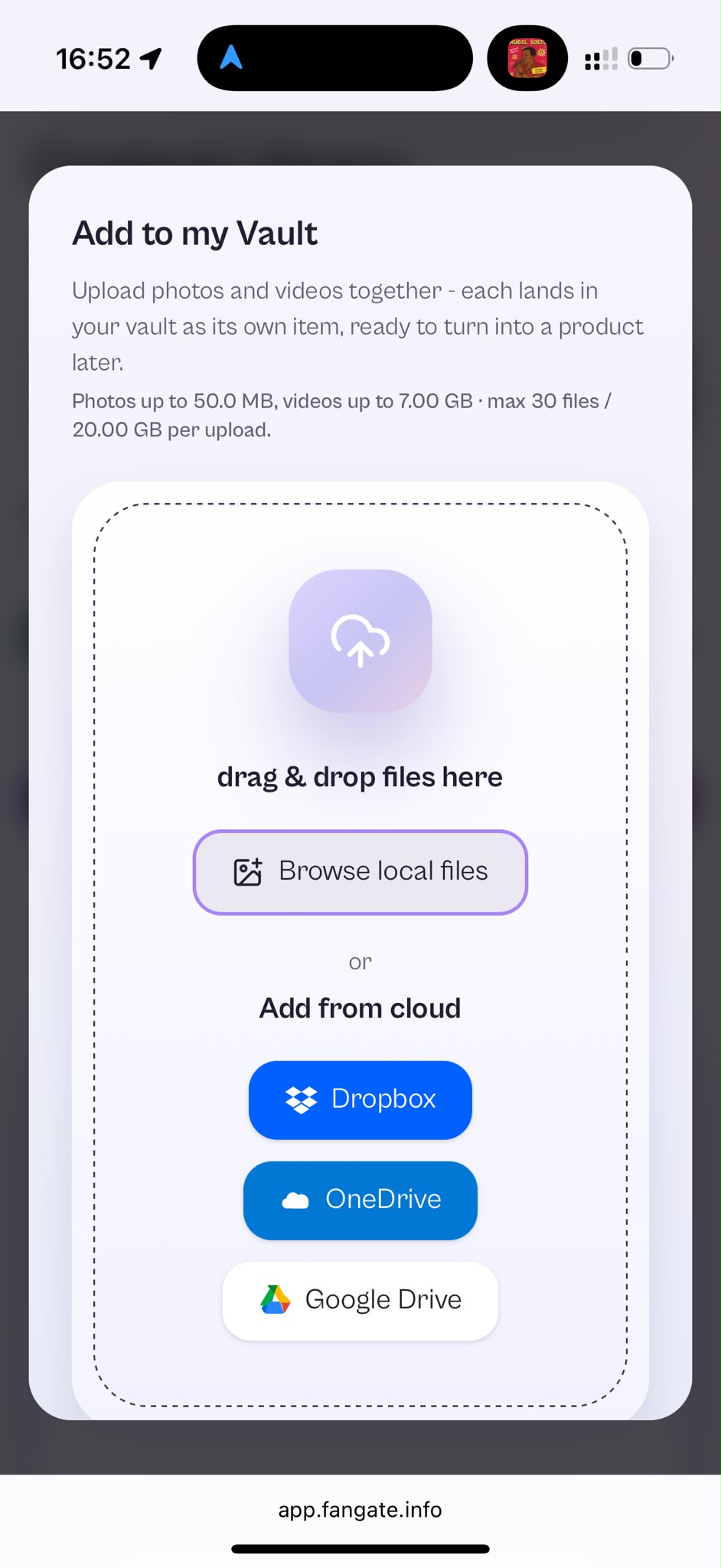
- Open your Content Library in the Fangate dashboard and tap Add to my Vault.
- Choose Add from cloud — Dropbox, OneDrive, or Google Drive — and approve access with one tap. The secure sign-in happens with your provider; Fangate never sees your password.
- Select your files. Browse your cloud storage right inside the import window and pick everything you want to move.
- Let the servers work. The transfer runs in the cloud with live progress. You can watch it finish — no browser tab babysitting a 7 GB upload.
- Review and done. A review step shows you exactly what arrived, and your files are ready to organize, price, and sell.
Why server-to-server changes everything
- No downloads, no re-uploads. Files travel once — from your cloud provider straight to Fangate. Your phone storage and data plan stay untouched.
- Data-center speed. The transfer runs between servers on backbone connections, not over your home upload bandwidth. A file that would take an hour to upload can arrive in a fraction of the time.
- Built for big files. Import videos up to 7 GB each, with up to 30 files and 20 GB per batch — and run the next batch right after.
- Parallel processing. Imported files are processed several at a time, so large batches finish faster.
- Automatic duplicate detection. Already imported a file before? Fangate recognizes it and skips it — no double storage, no accidental clutter in your vault.
- Works from anywhere. Because your device only picks the files, you can move gigabytes of content from your phone, on the go, in seconds of interaction.
- All common formats. Photos (including HEIC straight from an iPhone) and videos in MP4, MOV, MKV, WebM, and more.
One vault. Single links or full bundles.
Cloud Import is part of the vault's unified Add to my Vault flow. Whether you drag & drop from your device, browse local files, or pull from the cloud — every photo and video lands in your vault as its own item, ready to turn into a product.
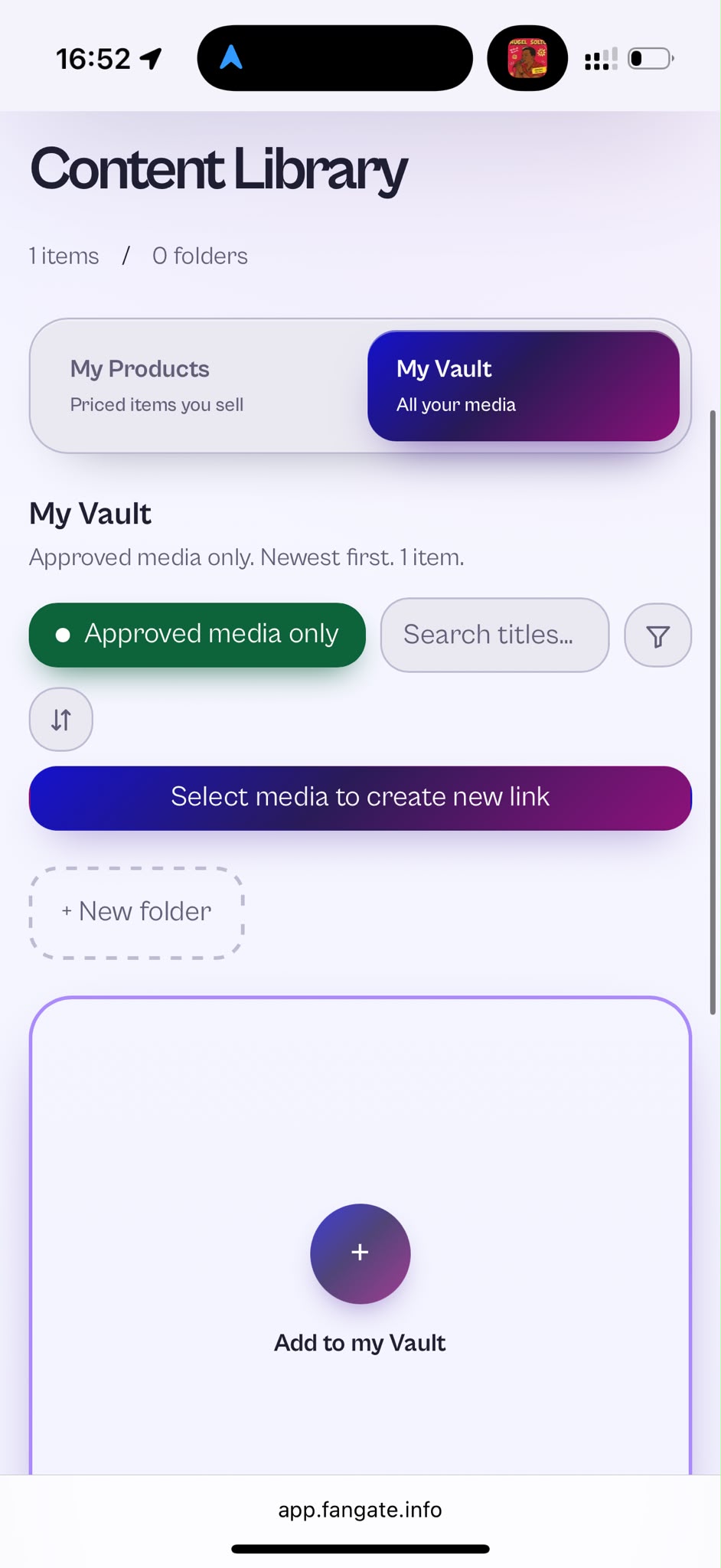
And that is where it gets powerful. Your vault is your storeroom: organize media into folders, search and filter, then hit Select media to create new link. Pick one video for a quick PPV sale — or combine any mix of photos and videos into a bundle and sell the whole package with a single link. Imported and uploaded files work exactly the same, so you can bundle yesterday's phone shots with the 4K set you just pulled from Dropbox.
- Upload once, sell many ways. The same vault item can go into a solo link today and a bundle tomorrow.
- Bundles in one tap. Select multiple vault items and turn them into one purchase link — no re-uploading anything.
- Stay organized. Folders, search, and filters keep even a huge imported library manageable.
Built for agencies and power creators
If you run an agency, your content pipeline probably already lives in the cloud: shoots are delivered to shared drives, editors export to Dropbox, teams collaborate in OneDrive. Cloud Import turns that pipeline into a direct feed:
- Skip the device detour. Move finished content from the shared drive into a creator vault without ever downloading it to a work laptop.
- Onboard new creators in minutes. A creator with years of content in their personal cloud can bring their entire back catalog into Fangate in a few batches.
- Scale without friction. The heavy lifting happens on Fangate infrastructure — managing ten creator accounts no longer means ten times the upload time.
- Keep content where teams already work. No new workflow to learn: organize in the cloud as usual, then import what is ready to sell.
Security you do not have to think about
Cloud Import uses the official, secure connection flows of each provider. You approve access directly with Google, Dropbox, or Microsoft — Fangate never sees or stores your cloud password, and you can revoke access at any time from your provider account. Imported files go through exactly the same trusted pipeline as regular uploads, including content review, so everything in your vault stays fully compliant and ready to sell.
Available now
Cloud Import is live for all verified creators — in your vault and right inside the link creation flow. Open your dashboard, tap Add to my Vault → Add from cloud, and bring your content home.