;%20}%20.cls-2,%20.cls-3%20{%20fill:%20%23fff;%20}%20.cls-3%20{%20stroke-width:%200px;%20}%20%3c/style%3e%3cclipPath%20id='clippath'%3e%3cpath%20class='cls-3'%20d='M27.79,132.08H0V1.94h94.23v24.67H27.79v32.25h55.35v24.67H27.79v48.56ZM128.8,132.08h-29.52L148.03,1.94h35.75l48.75,130.15h-30.5l-10.29-28.94h-52.46l-10.48,28.94ZM157.73,51.67l-10.1,27.98h35.56l-9.92-27.98-7.77-27.58-7.77,27.58ZM271.76,132.08h-27.79V1.94h27.02l46.23,67.98,11.83,20.4-1.75-30.69V1.94h27.79v130.15h-26.42l-47.4-68.56-11.67-19.23,2.15,32.23v55.56ZM426.18,133.65c-16.18,0-29.2-5.79-39.04-17.38-9.85-11.59-14.77-28.08-14.77-49.46,0-19.8,5.79-35.89,17.38-48.25,11.59-12.38,27.63-18.56,48.1-18.56,13.72,0,25.59,3.02,35.63,9.04,10.04,6.02,17.32,14.46,21.85,25.33l-23.5,17.88c-1.81-7.64-5.66-13.82-11.56-18.54-5.89-4.73-13.36-7.1-22.42-7.1-11.67,0-20.52,3.6-26.54,10.79-6.02,7.18-9.02,16.99-9.02,29.42s3.04,22.64,9.13,29.83c6.09,7.18,14.65,10.77,25.65,10.77,16.05,0,26.94-7.57,32.65-22.73h-35.75v-22.33h62.35v69.73h-18.46l-6.6-47.4c-.64,15.41-4.89,27.42-12.73,36.04-7.83,8.61-18.61,12.92-32.33,12.92ZM535.93,132.08h-29.52L555.16,1.94h35.75l48.75,130.15h-30.5l-10.29-28.94h-52.46l-10.48,28.94ZM564.87,51.67l-10.1,27.98h35.56l-9.92-27.98-7.77-27.58-7.77,27.58ZM709.98,132.08h-27.79V26.6h-38.83V1.94h105.46v24.67h-38.83v105.48ZM857.6,132.08h-95.58V1.94h95.58v24.67h-67.79v27.4h56.71v24.67h-56.71v28.75h67.79v24.67ZM885.56,132.08h0c-8.15,0-14.76-6.61-14.76-14.76v-.58c0-8.15,6.61-14.76,14.76-14.76h0c8.15,0,14.76,6.61,14.76,14.76v.58c0,8.15-6.61,14.76-14.76,14.76Z'/%3e%3c/clipPath%3e%3c/defs%3e%3cg%20id='Ebene_1-2'%20data-name='Ebene%201'%3e%3cg%3e%3cpath%20class='cls-2'%20d='M27.79,132.08H0V1.94h94.23v24.67H27.79v32.25h55.35v24.67H27.79v48.56ZM128.8,132.08h-29.52L148.03,1.94h35.75l48.75,130.15h-30.5l-10.29-28.94h-52.46l-10.48,28.94ZM157.73,51.67l-10.1,27.98h35.56l-9.92-27.98-7.77-27.58-7.77,27.58ZM271.76,132.08h-27.79V1.94h27.02l46.23,67.98,11.83,20.4-1.75-30.69V1.94h27.79v130.15h-26.42l-47.4-68.56-11.67-19.23,2.15,32.23v55.56ZM426.18,133.65c-16.18,0-29.2-5.79-39.04-17.38-9.85-11.59-14.77-28.08-14.77-49.46,0-19.8,5.79-35.89,17.38-48.25,11.59-12.38,27.63-18.56,48.1-18.56,13.72,0,25.59,3.02,35.63,9.04,10.04,6.02,17.32,14.46,21.85,25.33l-23.5,17.88c-1.81-7.64-5.66-13.82-11.56-18.54-5.89-4.73-13.36-7.1-22.42-7.1-11.67,0-20.52,3.6-26.54,10.79-6.02,7.18-9.02,16.99-9.02,29.42s3.04,22.64,9.13,29.83c6.09,7.18,14.65,10.77,25.65,10.77,16.05,0,26.94-7.57,32.65-22.73h-35.75v-22.33h62.35v69.73h-18.46l-6.6-47.4c-.64,15.41-4.89,27.42-12.73,36.04-7.83,8.61-18.61,12.92-32.33,12.92ZM535.93,132.08h-29.52L555.16,1.94h35.75l48.75,130.15h-30.5l-10.29-28.94h-52.46l-10.48,28.94ZM564.87,51.67l-10.1,27.98h35.56l-9.92-27.98-7.77-27.58-7.77,27.58ZM709.98,132.08h-27.79V26.6h-38.83V1.94h105.46v24.67h-38.83v105.48ZM857.6,132.08h-95.58V1.94h95.58v24.67h-67.79v27.4h56.71v24.67h-56.71v28.75h67.79v24.67ZM885.56,132.08h0c-8.15,0-14.76-6.61-14.76-14.76v-.58c0-8.15,6.61-14.76,14.76-14.76h0c8.15,0,14.76,6.61,14.76,14.76v.58c0,8.15-6.61,14.76-14.76,14.76Z'/%3e%3cg%20class='cls-1'%3e%3crect%20class='cls-3'%20x='-27.9'%20y='-32.28'%20width='934.94'%20height='189.98'/%3e%3c/g%3e%3c/g%3e%3c/g%3e%3c/svg%3e)
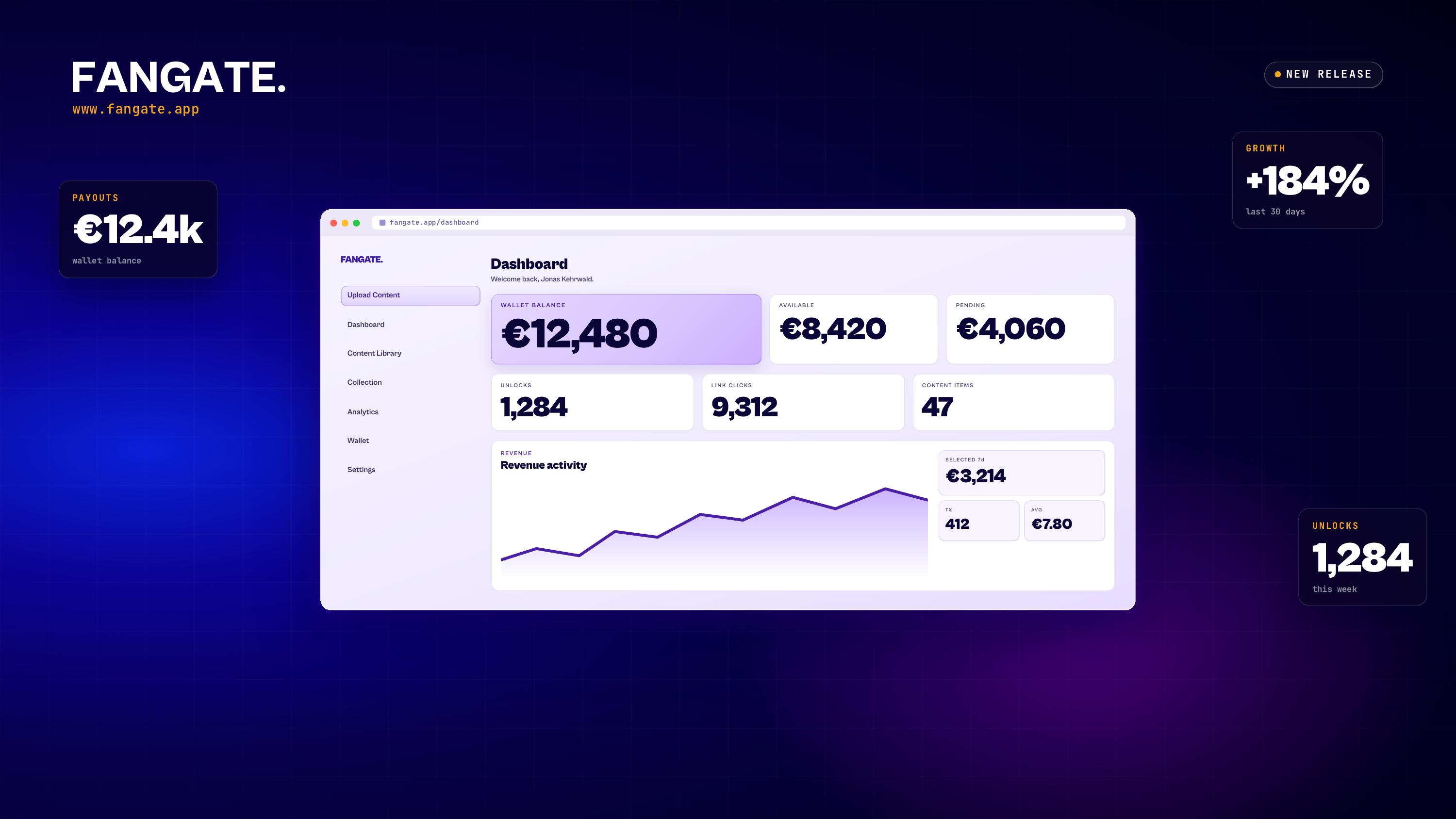
Fangate has launched its new web app, giving Creators a more powerful, faster, and more professional way to upload, organize, publish, and sell premium media online.
The new web app is built as the main workspace for Creators. While Fangate's native apps remain available as companion apps, the web app now offers the most complete Fangate experience, including larger uploads, advanced content management, co-creator tagging, view-only media settings, and improved compliance visibility.
With this release, Fangate is taking a major step forward: more control for Creators, better organization, faster uploads, and a cleaner, more modern interface.
Bigger Uploads and Significantly Improved Upload Speed
One of the biggest improvements in the new Fangate web app is support for much larger uploads.
Creators can now upload media files of up to 6 GB through the web app. This makes it easier to publish high-quality videos, premium content packages, long-form media, and larger files without having to reduce quality or split content into smaller parts.
Upload speed has also been significantly improved, making the publishing process faster and smoother from start to finish. The result is a more efficient workflow, especially for Creators who regularly upload large media files.
A Better Creator Experience From the Ground Up
Beyond bigger uploads and faster upload speed, Fangate focused heavily on improving the overall Creator experience.
The new web app has been redesigned to make content management clearer, faster, and easier to use. Creators now get a better overview of their media, publishing status, folders, tags, and collections.
The result is a dashboard that feels more structured, more professional, and better suited for Creators who manage a growing library of digital content.
New Dark Mode and Light Mode
The new Fangate web app introduces a redesigned interface with both dark mode and light mode.
Creators can now choose the look that works best for them. The new light mode offers a clean and bright workspace, while the redesigned dark mode provides a modern, focused experience for longer sessions and late-night publishing.
Both modes are designed to improve clarity and make the dashboard easier to navigate.
Folders, Content Status, Search, and Sorting
The new web app also introduces folders, giving Creators a better way to organize their content.
Creators can now create folders to structure their media library, group related content, and keep larger collections easier to manage. Each item also shows whether the link is live and ready to be shared, giving Creators a clear status overview directly inside the dashboard.
Fangate has also added improved sorting and search. Creators can organize their content however they prefer and quickly find specific media using the new search option.
For Creators with many uploads, this is a major workflow upgrade.
Advanced Tagging With Notifications and Status Overview
Fangate has also expanded its tagging system with new notifications and status visibility.
Creators can now get notified when someone tags them. They can also see at a glance which content they are tagged in, who has already given consent, and the current compliance or status of each item.
This makes Fangate especially useful for collaborative content, where multiple Creators, models, performers, photographers, or production partners may be involved.
Instead of managing consent and tagging manually across different tools, Creators can now track important collaboration details directly inside Fangate.
Co-Creator Tagging for Collaborative Content
The new Fangate web app also includes co-creator tagging, making it easier to publish content involving more than one Creator.
This feature helps bring structure and transparency to collaborative releases. Creators can tag co-creators, manage participation more clearly, and keep better track of who is connected to each piece of media.
For professional Creator teams, agencies, and collaborative productions, this creates a cleaner and more reliable publishing workflow, while also helping ensure compliance with local laws and regulations.
Collection Page Upgrades
Creators can now upgrade their collection page by adding a picture and a short bio.
This gives each collection a more personal and professional presentation. Instead of showing only content, Creators can now add context, branding, and a stronger first impression for buyers.
A better collection page helps Creators present their media more effectively and gives buyers a clearer sense of what the collection is about.
More Control Over Every Media File
For every uploaded media file, Creators can now configure important publishing options before sharing or selling their content.
Creators can enable a pop-up notice for adult-content warnings, activate a buyer age check, and decide whether the file can be downloaded after purchase.
If downloads are disabled, buyers do not receive the original file. Instead, they receive access through a browser-based viewing link. This allows Creators to sell access to premium content while keeping the file itself view-only.
This gives Creators more flexibility depending on the type of content they publish, the audience they are selling to, and the level of access they want to provide.
View-Only Media: Sell Access Without Sending the File
One of the most important Creator tools in the new web app is the ability to mark media files as view-only.
When a media file is marked as view-only, buyers can access the content in the browser after purchase, but they cannot download the original file.
This is especially valuable for Creators who want to sell exclusive access while keeping tighter control over how their media is distributed. It adds another layer of protection for premium content and gives Creators more choice in how they deliver their work.
Native Apps as Companions, Web App as the Main Workspace
Fangate's native apps remain useful for quick access and companion use, but Creators should mainly use the web app to manage and publish their content.
The web app includes Fangate's most advanced Creator features, including uploads of up to 6 GB, faster upload performance, co-creator tagging, folder organization, improved search and sorting, content status overviews, collection page upgrades, and the option to mark media files as view-only.
For Creators who want the full Fangate feature set, the web app is the primary workspace.
Built for Creators Who Want More Than a Simple Upload Tool
The new Fangate web app reflects what modern Creators actually need: speed, structure, flexibility, and control.
Creators are no longer just uploading files. They are managing content libraries, collaborating with other Creators, handling consent, selling premium media, building collections, and deciding exactly how buyers should access their content.
Fangate's new web app brings these needs into one central dashboard.
With larger uploads, faster publishing, folders, advanced tagging, status overviews, view-only media, adult-content notices, age-check options, and upgraded collection pages, Fangate gives Creators a more professional way to manage and sell digital media.