;%20}%20.cls-2,%20.cls-3%20{%20fill:%20%23fff;%20}%20.cls-3%20{%20stroke-width:%200px;%20}%20%3c/style%3e%3cclipPath%20id='clippath'%3e%3cpath%20class='cls-3'%20d='M27.79,132.08H0V1.94h94.23v24.67H27.79v32.25h55.35v24.67H27.79v48.56ZM128.8,132.08h-29.52L148.03,1.94h35.75l48.75,130.15h-30.5l-10.29-28.94h-52.46l-10.48,28.94ZM157.73,51.67l-10.1,27.98h35.56l-9.92-27.98-7.77-27.58-7.77,27.58ZM271.76,132.08h-27.79V1.94h27.02l46.23,67.98,11.83,20.4-1.75-30.69V1.94h27.79v130.15h-26.42l-47.4-68.56-11.67-19.23,2.15,32.23v55.56ZM426.18,133.65c-16.18,0-29.2-5.79-39.04-17.38-9.85-11.59-14.77-28.08-14.77-49.46,0-19.8,5.79-35.89,17.38-48.25,11.59-12.38,27.63-18.56,48.1-18.56,13.72,0,25.59,3.02,35.63,9.04,10.04,6.02,17.32,14.46,21.85,25.33l-23.5,17.88c-1.81-7.64-5.66-13.82-11.56-18.54-5.89-4.73-13.36-7.1-22.42-7.1-11.67,0-20.52,3.6-26.54,10.79-6.02,7.18-9.02,16.99-9.02,29.42s3.04,22.64,9.13,29.83c6.09,7.18,14.65,10.77,25.65,10.77,16.05,0,26.94-7.57,32.65-22.73h-35.75v-22.33h62.35v69.73h-18.46l-6.6-47.4c-.64,15.41-4.89,27.42-12.73,36.04-7.83,8.61-18.61,12.92-32.33,12.92ZM535.93,132.08h-29.52L555.16,1.94h35.75l48.75,130.15h-30.5l-10.29-28.94h-52.46l-10.48,28.94ZM564.87,51.67l-10.1,27.98h35.56l-9.92-27.98-7.77-27.58-7.77,27.58ZM709.98,132.08h-27.79V26.6h-38.83V1.94h105.46v24.67h-38.83v105.48ZM857.6,132.08h-95.58V1.94h95.58v24.67h-67.79v27.4h56.71v24.67h-56.71v28.75h67.79v24.67ZM885.56,132.08h0c-8.15,0-14.76-6.61-14.76-14.76v-.58c0-8.15,6.61-14.76,14.76-14.76h0c8.15,0,14.76,6.61,14.76,14.76v.58c0,8.15-6.61,14.76-14.76,14.76Z'/%3e%3c/clipPath%3e%3c/defs%3e%3cg%20id='Ebene_1-2'%20data-name='Ebene%201'%3e%3cg%3e%3cpath%20class='cls-2'%20d='M27.79,132.08H0V1.94h94.23v24.67H27.79v32.25h55.35v24.67H27.79v48.56ZM128.8,132.08h-29.52L148.03,1.94h35.75l48.75,130.15h-30.5l-10.29-28.94h-52.46l-10.48,28.94ZM157.73,51.67l-10.1,27.98h35.56l-9.92-27.98-7.77-27.58-7.77,27.58ZM271.76,132.08h-27.79V1.94h27.02l46.23,67.98,11.83,20.4-1.75-30.69V1.94h27.79v130.15h-26.42l-47.4-68.56-11.67-19.23,2.15,32.23v55.56ZM426.18,133.65c-16.18,0-29.2-5.79-39.04-17.38-9.85-11.59-14.77-28.08-14.77-49.46,0-19.8,5.79-35.89,17.38-48.25,11.59-12.38,27.63-18.56,48.1-18.56,13.72,0,25.59,3.02,35.63,9.04,10.04,6.02,17.32,14.46,21.85,25.33l-23.5,17.88c-1.81-7.64-5.66-13.82-11.56-18.54-5.89-4.73-13.36-7.1-22.42-7.1-11.67,0-20.52,3.6-26.54,10.79-6.02,7.18-9.02,16.99-9.02,29.42s3.04,22.64,9.13,29.83c6.09,7.18,14.65,10.77,25.65,10.77,16.05,0,26.94-7.57,32.65-22.73h-35.75v-22.33h62.35v69.73h-18.46l-6.6-47.4c-.64,15.41-4.89,27.42-12.73,36.04-7.83,8.61-18.61,12.92-32.33,12.92ZM535.93,132.08h-29.52L555.16,1.94h35.75l48.75,130.15h-30.5l-10.29-28.94h-52.46l-10.48,28.94ZM564.87,51.67l-10.1,27.98h35.56l-9.92-27.98-7.77-27.58-7.77,27.58ZM709.98,132.08h-27.79V26.6h-38.83V1.94h105.46v24.67h-38.83v105.48ZM857.6,132.08h-95.58V1.94h95.58v24.67h-67.79v27.4h56.71v24.67h-56.71v28.75h67.79v24.67ZM885.56,132.08h0c-8.15,0-14.76-6.61-14.76-14.76v-.58c0-8.15,6.61-14.76,14.76-14.76h0c8.15,0,14.76,6.61,14.76,14.76v.58c0,8.15-6.61,14.76-14.76,14.76Z'/%3e%3cg%20class='cls-1'%3e%3crect%20class='cls-3'%20x='-27.9'%20y='-32.28'%20width='934.94'%20height='189.98'/%3e%3c/g%3e%3c/g%3e%3c/g%3e%3c/svg%3e)
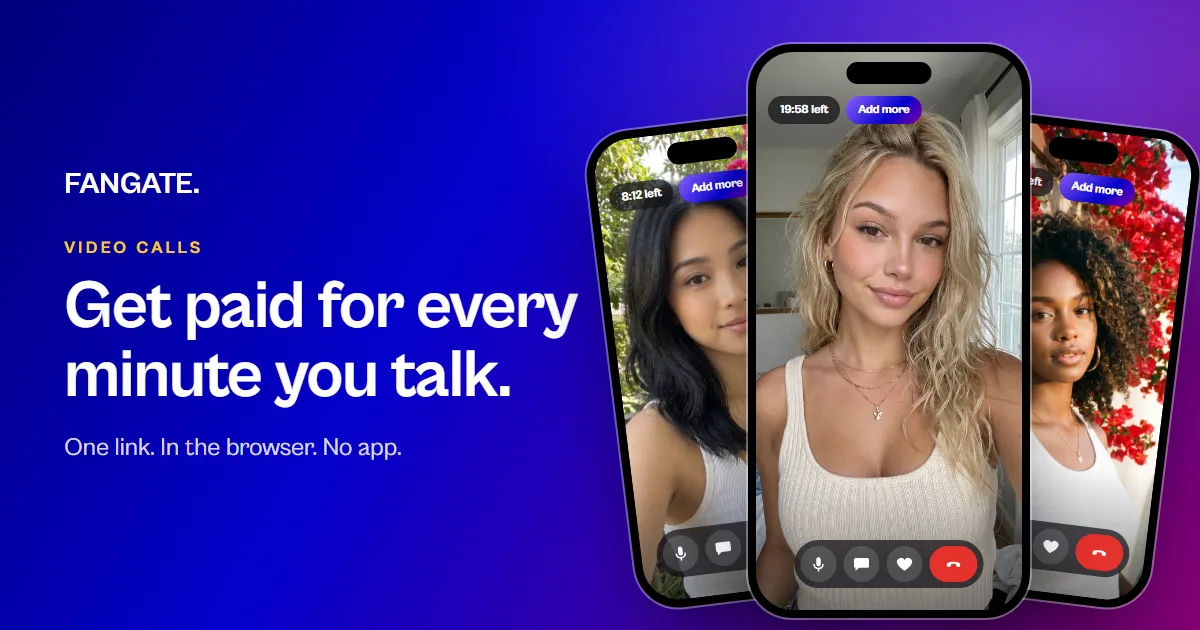
People write to you every day. Some of them would pay to really talk to you. With video calls they can: you set a price per minute, share one link and pick up in your browser.
Your fan's phone
Why calls
A call needs nothing but you. No shoot, no editing, no upload. If you have an audience that writes to you, you can start today, even if you have never sold anything before.
- Your DMs are full. A call link is a friendly answer to “can we talk?”: yes, here.
- Your time has a price. You set it per minute, and the fan pays before you pick up.
- You decide what a call is. A chat with a long-time fan, advice in your niche, language practice, a birthday surprise, coaching.
Set it up in two minutes
- Open Cam2Cam in your dashboard and choose Bill per minute or Fixed price & length.
- Enter a title, your price and, per minute, the minimum length: the shortest call you take.
- Press Create new cam session. You get a link of your own for this session.
- Share the link in your bio, your Telegram or a DM.
Want to be reachable for a while? Set Available for calls to 1, 2, 4 or 8 hours. Your link then stays open between calls. If a fan starts while you are somewhere else, you get an email and a notification in your dashboard.
You need a verified identity, once. Several sessions at different prices are fine, for example a short call and a long one.
What your fan sees
The fan opens your link in Safari or Chrome. No app. The join page shows your name and picture, whether you are online, your price and your minimum. The fan logs in or creates an account, adds balance, tests the microphone and presses Start session.
The join page
In the call
If you are not there yet, the page waits and starts by itself when you join. Nothing is billed while a fan waits.
In the call
- You, full screen. One bar of buttons at the bottom, and it fades while nobody touches the screen.
- The fan is heard, not seen. Fans send sound only, or just write in the chat.
- Chat. A text chat runs alongside the call.
- Tips. One tap on the heart sends a tip. It is a gift and adds no minutes.
- More time. The fan sees the time left. Two minutes before it ends a reminder appears, and the fan adds balance without hanging up.
You take one call at a time. While you are in a call, other fans see “Busy · back soon” and start by themselves when you are free.
How billing works
- Billing starts when you and the fan are both connected.
- Per minute: the minimum length is billed at the start, each further minute when it begins.
- If the fan ends the call, the minimum and the minute in progress stay billed.
- If you end the call, the fan pays only for finished minutes. You see a warning first.
- Fixed price: the fan pays the fixed price for the fixed minutes. If you allow it, the call runs on per minute afterwards.
Your money
Right after the call you see the talk time and about what you earned. Once the call is settled it shows in your wallet as a sale with its duration. The same fee, the same 14-day hold and the same payout dates apply as for everything else you sell. If you work with an agency, the split applies as usual.
Your phone, after the call
Safety
- Every creator is identity-verified before the first call.
- Fans confirm they are 18 or older. You can require an age check for every fan.
- Calls are checked automatically for prohibited content, and fans can report a call.
- A second person on camera needs a verified Fangate account and must agree first.
FAQ
Do I need an app?
No. You and the fan both use the browser, on a phone or a computer.
Can the fan see me before paying?
No. The fan sees your name, your picture and your price. The call starts only with enough balance for your minimum.
Can I change my price later?
Create a new session with the new price. Each session has its own link.
Can AI model accounts offer calls?
No. A live call needs a real person.